Built for AI-native development
The Agentic Terminal
Run Claude Code, Codex, Gemini CLI, and GitHub Copilot - all in one interface. Workspaces, vertical tabs, ⌘K switching, and built-in Git GUI.
macOS only · Windows & Linux coming soon

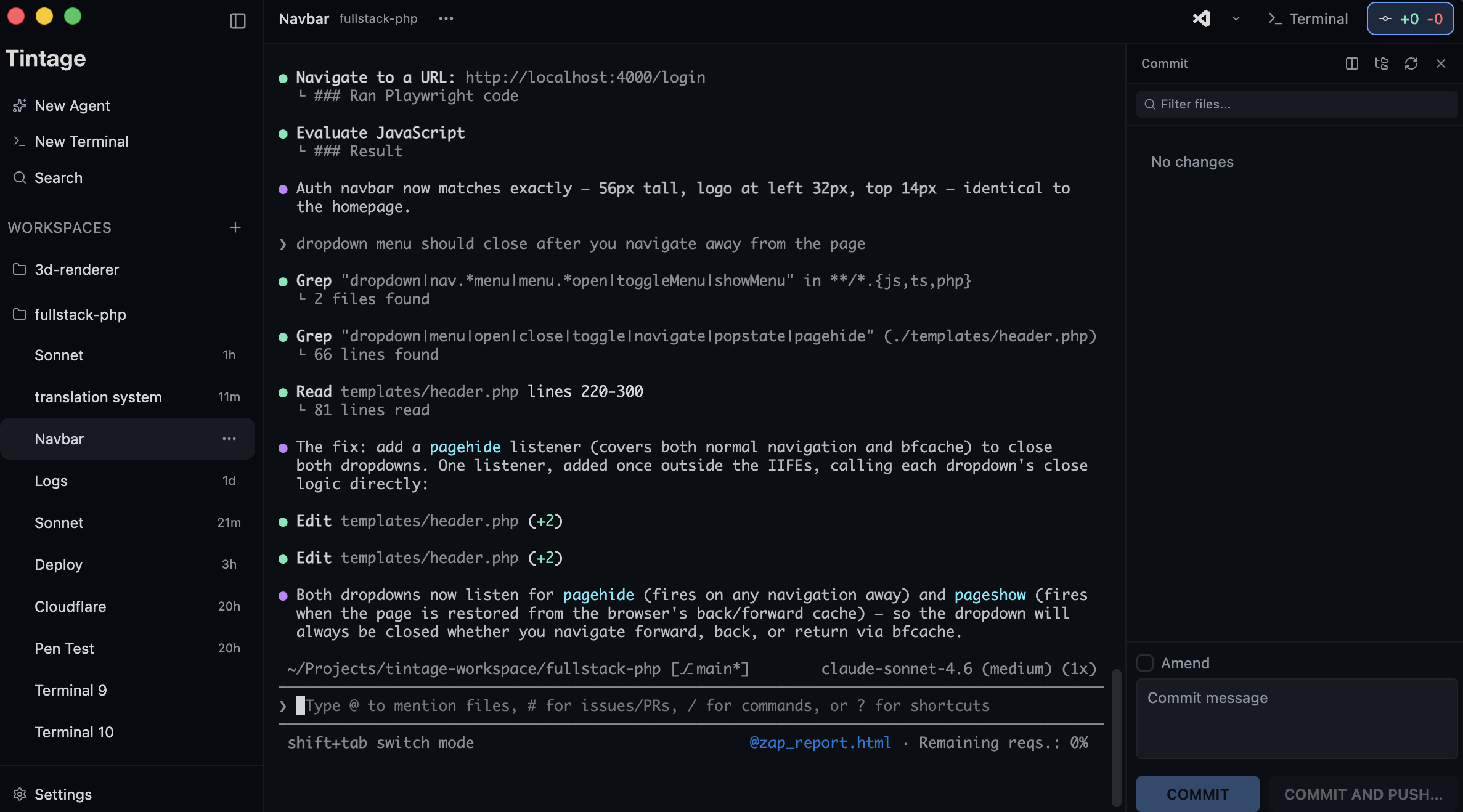
One sidebar for all your agents
Each agent gets a tab. Each project gets a workspace. You see everything in one place.
Any AI Agent
Run Claude Code, OpenAI Codex, Gemini CLI, GitHub Copilot, or any terminal process. CLI agents have no restrictions - use whichever you want.
Workspaces
Group terminals by project. Switch between codebases and launch new agents in the right working directory.
⌘K Quick Switch
Command palette to search and jump between terminals. Type a name, hit enter, you're there.
Progress Tracking
Colored status dots and time indicators in the sidebar show which agents are running, waiting, or finished.
Git GUI Built In
Stage, diff, commit, and push from inside Vertical Tabs. Git worktree support included.
Privacy you control
Your code and prompts stay on your machine. Anonymous usage data is opt-in, and the setting is always accessible.
Attention dots
Know which agents need you
Orange and blue dots appear on tabs that need your attention. Blue means done and ready for review. Orange means the agent is waiting for permission.
Dots clear when you switch to that tab.
Learn more about agent status
Built with Vertical Tabs
We build Vertical Tabs inside Vertical Tabs
Download it, open your project, and start running agents.
macOS only